


Recently two of my relatives complained of the same maddening problem: They'd be typing along on their laptops when suddenly the cursor would jump, resulting in garbled text or even an unwanted mouse-click.
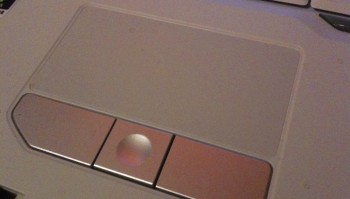
This is usually the result of your thumb or palm accidentally grazing the touchpad. Fortunately, there are ways to combat this problem, usually by tweaking Windows' mouse/touchpad settings.
If those options aren't available on your system or you're still not getting the results you want, try TouchFreeze. This free utility serves one simple purpose: to disable your laptop's touchpad while you type.
Actually, it disables touchpad tapping, which is what causes the aforementioned problems. (It doesn't matter if your cursor moves while you're typing, as long as that movement isn't followed by a tap--the touchpad equivalent of clicking a mouse.)
I tested the utility on two laptops, one running Windows XP, the other, Vista. On both systems it worked as advertised: No amount of tapping while typing would actually register a tap.
If you've been tearing your hair out due to flaky laptop behavior, this handy freebie may just solve the problem.
Also read the following :
Raise your hand if this has happened to you: You're typing along on your laptop, when suddenly you look up and see that your cursor has jumped somewhere else in your document, resulting in seriously fouled-up text.
That maddening occurrence is usually the result of accidentally brushing the touchpad with your thumb, relocating the cursor in the process. One option is to plug in a USB mouse, but even that doesn't always do the trick: Some laptops leave the touchpad enabled even when there's a mouse present.
Fortunately, by delving into Windows' Mouse settings, you may be able to find a fix. Unfortunately, different laptops have different touchpads and touchpad drivers, so the solution isn't universal.
Start by opening the Control Panel and then double-clicking Mouse. If you see a Device Select tab, click it and enable Disable TouchPad when USB pointing device is present.
No such option? On my Acer Aspire One, which runs Windows XP, I had to click the Device Settings tab, then the Settings button, and then pore through Synaptics' extensive touchpad options. I found what I needed in Sensitivity, PalmCheck: By moving the slider closer to Maximum, the touchpad becomes more resistant to accidental brushes while typing.

On a Vista notebook, I found a Tapping tab in the Mouse Properties window. There, I enabled "Tap off when typing," which keeps the touchpad from recognizing taps while I'm typing. If your laptop doesn't have this option, look for something similar.
Recently I reviewed the Samsung Q310 laptop and found a feature to love: a function-key toggle that turns the touchpad on and off. It doesn't get easier than that. Hey, laptop manufacturers: steal that feature!
That maddening occurrence is usually the result of accidentally brushing the touchpad with your thumb, relocating the cursor in the process. One option is to plug in a USB mouse, but even that doesn't always do the trick: Some laptops leave the touchpad enabled even when there's a mouse present.
Fortunately, by delving into Windows' Mouse settings, you may be able to find a fix. Unfortunately, different laptops have different touchpads and touchpad drivers, so the solution isn't universal.
Start by opening the Control Panel and then double-clicking Mouse. If you see a Device Select tab, click it and enable Disable TouchPad when USB pointing device is present.
No such option? On my Acer Aspire One, which runs Windows XP, I had to click the Device Settings tab, then the Settings button, and then pore through Synaptics' extensive touchpad options. I found what I needed in Sensitivity, PalmCheck: By moving the slider closer to Maximum, the touchpad becomes more resistant to accidental brushes while typing.
On a Vista notebook, I found a Tapping tab in the Mouse Properties window. There, I enabled "Tap off when typing," which keeps the touchpad from recognizing taps while I'm typing. If your laptop doesn't have this option, look for something similar.
Recently I reviewed the Samsung Q310 laptop and found a feature to love: a function-key toggle that turns the touchpad on and off. It doesn't get easier than that. Hey, laptop manufacturers: steal that feature!
Share This Post


 Blog RSS Feed
 Subscribe via E-mail
 Follow Me on Twitter
0 comments to “Disable Your Laptop's Touchpad While You Type”
Post a Comment